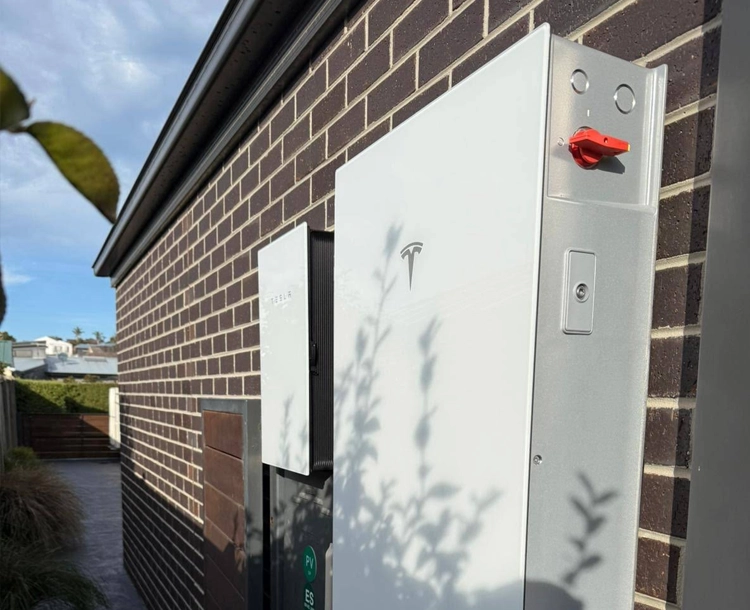
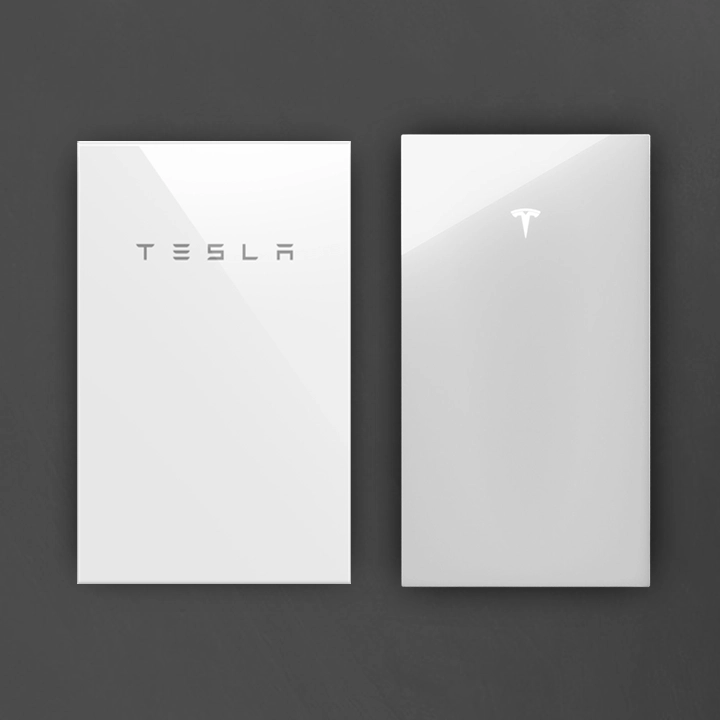
Tesla Flips the Script: Powerwall 2 and 3 Can Now Work Together
If you’ve been holding off on upgrading your home battery because you feared your current tech would become a "legacy" system, we have massive news. Tesla has officially confirmed that Powerwall 2 and Powerwall 3 are now backwards compatible.
Previously, the industry assumed these two generations were hardware-incompatible due to their different internal architectures. However, Tesla is bridging the gap via a major firmware update slated for late May/early June. This over-the-air (OTA) release allows your existing Powerwall 2 to communicate and sync seamlessly with the newer Powerwall 3.
The takeaway? You no longer have to choose between keeping your old system or starting from scratch. You can now expand your storage capacity using the latest hardware without sacrificing your previous investment.
Previously, the industry assumed these two generations were hardware-incompatible due to their different internal architectures. However, Tesla is bridging the gap via a major firmware update slated for late May/early June. This over-the-air (OTA) release allows your existing Powerwall 2 to communicate and sync seamlessly with the newer Powerwall 3.
The takeaway? You no longer have to choose between keeping your old system or starting from scratch. You can now expand your storage capacity using the latest hardware without sacrificing your previous investment.
The Digital Bridge: How Software Unites Two Generations
The most impressive part of this update is that it doesn’t require a "Frankenstein" hardware fix. Instead, Tesla is using Over-the-Air (OTA) firmware to bridge the gap.
Think of it like a smartphone update that allows an old device to speak the same language as a new one. Once the late-May/early-June update rolls out, your existing system will "learn" to communicate with the Powerwall 3.
The Installation Reality:
- No Direct Linking: You won't see messy cables running between your old battery and the new one.
- Hub-and-Spoke Wiring: The new Powerwall 3 wires directly into your Tesla Gateway.
- Digital Load Sharing: The Gateway acts as the "brain," telling both batteries how to share the load and manage your home’s energy flow simultaneously.



Is Your Home Ready? The Hybrid Upgrade Checklist
Before we can integrate the new Powerwall 3 into your existing setup, your site must meet Tesla’s specific hardware and configuration rules.
- The Gateway Prerequisite: You must have a Tesla Gateway 2 (the modern unit with the white glass front). If you’re still using the original grey metal Gateway 1, we’ll simply include a hardware upgrade in your quote to unlock compatibility.
- Existing System Size: You can combine up to four existing Powerwall 2 units with the new technology.
- The Master Unit Rule: To add storage, you must first install a "Master" Powerwall 3. From there, you can attach up to three Powerwall 3 Expansion units to that master for massive energy reserves.
- Phase Considerations: For 3-phase homes, your Powerwall 3 output will be limited to 5 kW to ensure grid stability and phase balancing.
Backup Power: Single-Phase vs. Three-Phase Homes
Adding a Powerwall 3 to your existing system will always increase your energy storage (kWh), but how much instant power (kW) you get during a blackout depends on your home’s wiring.
- Single-Phase Homes (The Power Boost): Good news—on a single-phase connection, your batteries work in tandem. Adding a Powerwall 3 effectively "stacks" your power. You’ll have significantly more "grunt" to start heavy appliances like air conditioners or pumps during a grid outage.
- Three-Phase Homes (The Balance Rule): On a three-phase connection, Australian grid rules require the new battery to be installed on a separate phase to maintain balance. While this adds to your total "bucket" of energy for the night, it will not increase your peak discharge rate during a blackout. Each phase operates independently for backup, even though they work together perfectly for daily solar savings.